
Table of Contents
React carousel components are among the most searched React UI patterns on Stack Overflow. Over 38,000 questions are tagged under react-slider and react-carousel as of 2025.
Despite this popularity, many developers still rely on heavy libraries like React-Slick when building a carousel component React implementation. It adds around 40KB to the bundle size. Others write complex class-based logic that often breaks in edge cases. Neither approach is necessary for a simple and production-ready react carousel without a library.
This guide shows you exactly how to build a clean React image slider using only useState hook carousel, useEffect autoplay react, and vanilla CSS. No external dependencies are required. If you are newer to React fundamentals, the beginner's guide to frontend development is a solid starting point before diving into component architecture.
A React carousel operates on a single piece of state, like the active slide index state. Every time that number changes, react functional component re-renders the visible slide. Arrows update it on click. A setInterval inside useEffect updates it on a timer. CSS handles the visual transition between states. That’s the complete mental model, where a carousel component React stays clean and predictable. One number drives every experience your users see without any complexity.
| Requirement | Build It | Use a Library |
| Simple image rotation | Best suited | Adds unnecessary complexity |
| Touch or swipe support | Requires extra effort | Built-in support |
| Bundle size matters | Minimal footprint | Increases bundle size by around 40 to 80KB |
| Lazy loading images | Needs manual setup | Built-in |
| React carousel accessibility control | Full control | Depends on the library |
Align your requirements of React carousel with the right tool before writing any code. A React image slider displaying three static images doesn’t justify introducing a library of a React designed for complex and large-scale product galleries.
Older versions of React Slick include jQuery as a peer dependency, adding unnecessary overhead. Swiper.js is powerful but too large for a simple three-slide React carousel or carousel component React with only previous and next arrows for carousel navigation.
Both libraries hide state logic, so when something breaks, you end up debugging external code, your own carousel navigation React logic. Build it yourself to keep every line clear, fixable, and under your control.

| // slides dataexport const slides = [ { id: 1, image: "/images/slide1.jpg", alt: "Slide 1" }, { id: 2, image: "/images/slide2.jpg", alt: "Slide 2" }, { id: 3, image: "/images/slide3.jpg", alt: "Slide 3" }]; |
Start in your data file. Keep each slide object flat, consistent, and easy to extend. Every object should have an ID, an image path, and an alt text that are no more than what your React carousel requires to render.
Because data is separated from JSX, you can add, remove, or rearrange slides without affecting the carousel component React logic.
Keep each object flat; nested data structures restrict mapping and add unneeded complexity to a React image slider, which should be simple for a React carousel.
| const [currentIndex, setCurrentIndex] = useState(0); |
The current index is the one part of the state that drives your entire React carousel. This single number is the complete source of truth for every visual output: which slide renders, which dot activates, and which transition fires. All of it derives from currentIndex alone.
Never track multiple active flags of the carousel component React in separate state variables. That pattern creates sync bugs between your indicators and your slides that are genuinely painful to untangle inside a live React carousel.
| const nextSlide = () => { setCurrentIndex((prev) => (prev + 1) % slides.length);}; const prevSlide = () => { setCurrentIndex((prev) => (prev - 1 + slides.length) % slides.length );}; |
Your infinite loop carousel react feels limitless because of the modulo operator react carousel. Modulo automatically wraps the index back to zero when it reaches the final slide. There is no need for edge case management or manual boundary checking.
When developing these handlers, functional updates should always be used. Instead of reading from the closure, functional updates get the most recent state value via React's scheduler. This prevents stale value issues, which are particularly prevalent within the set Interval, where your React image slider calls these React carousel functions.
| useEffect(() => { const interval = setInterval(() => { setCurrentIndex((prev) => (prev + 1) % slides.length); }, 3000); return () => clearInterval(interval);}, [currentIndex]); |
The most crucial line in your entire React carousel autoplay setup is the cleaning return within useEffect. Without it, every re-render spawns a new interval without clearing the previous one. Slides begin advancing multiple times per tick, and memory leaks accumulate silently in the background.
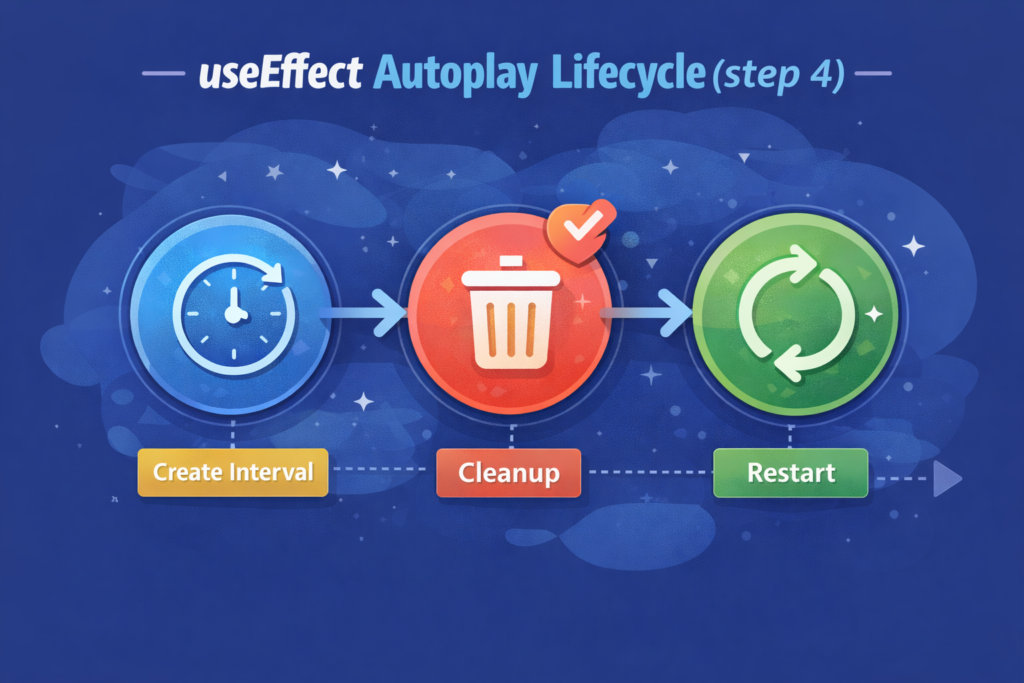
React's official documentation on useEffect cleanup explains precisely why the return function is non-negotiable for any effect that creates a subscription or timer.
When currentIndex is included as a useEffect dependency, the timer restarts cleanly following each navigation event, whether it is caused by a human click or autoplay. This single dependency is what keeps your React carousel from double-advancing after manual interaction.
| {slides.map((slide, index) => ( <div key={slide.id} className={`slide ${index === currentIndex ? "active" : ""}`} > <img src={slide.image} alt={slide.alt} /> </div>))} |
Always map the entire slides array for React carousel; never render just the active slide. Rendering a single slide based on the current index breaks CSS transitions because the element unmounts and remounts on every index change instead of transitioning smoothly between states.
The active class on the matching slide is what your CSS targets to show or hide content. Your React carousel component never manipulates the DOM directly; it simply applies a class and lets CSS do the visual work. This separation is what keeps the component clean and predictable.
Wire your buttons directly to existing handler functions. Always add an aria label to icon-only buttons. A React carousel without accessible labels fails WCAG 2.1 AA and locks out keyboard users completely. Position buttons with absolute positioning inside the container so they overlay slides without breaking document flow.
Carousel indicator dots react to do two tasks: they guide navigation and provide position input. When a dot is clicked, setCurrentIndex is called with the precise target index, completely avoiding next and earlier. The active class comparison between dot index and currentIndex keeps your React image slider indicators perfectly synced with zero extra logic of React carousel needed.
No separate reset function is needed. Every time an arrow or dot is clicked, the previous interval is instantly canceled, and a new one is started because useEffect depends on currentIndex. After a manual click, your React carousel never progresses twice.
Skipping the clearInterval useEffect cleanup is the most damaging bug in any React carousel build. Every re-render spawns a new interval without clearing the old one, slides advance multiple times per tick, and memory leaks accumulate silently in the background. Always return the clearInterval call from your effect without exception.
Reading currentIndex directly inside setInterval freezes a stale closure value. Your React carousel then advances from the wrong position on every autoplay tick. Always use functional updates that receive the actual latest state from React's scheduler, not a cached snapshot from the closure.
Never use the array index as the key; instead, use a reliable, unique identifier from your data. Carousel component React misidentifies elements when order changes due to index-based keys, resulting in faulty transitions within your React carousel that show sporadically and are actually challenging to track.
Autoplay never resets once a user clicks if the dependency array is empty. After manual navigation, the interval fires instantly, double-advancing your React carousel in a single tick. With just one modification, this issue is permanently resolved by adding currentIndex as a dependent.
When the same slide logic appears across multiple components, a React custom hook carousel eliminates that duplication permanently. The hook owns all state and side effects. The component owns the rendering exclusively. Your React carousel logic becomes a portable unit that drops into any project without a single line rewritten, maximizing React component reusability. For a broader look at how component-driven architecture scales, the comparison of React vs Vue.js for developers covers the trade-offs worth understanding before committing to a framework.
The hook accepts your slides array and an optional speed value. Inside, it manages the current index, defines next and prev handlers using modulo arithmetic, runs the interval inside useEffect with proper cleanup, and returns only what the UI actually needs. Your image slider React hooks component only receives what it needs, keeping it clean, simple, and purpose-driven for the React carousel.
One destructured call at the top of your component replaces all state declarations and effect logic entirely. The React carousel behavior remains the same even if you replace the JSX shell with an entirely different visual design. The same method is used for the expert carousel component React libraries to maintain consistency in logic amongst many UI implementations.
Building a React carousel stays under 50 lines of logic. useState tracks the active index. useEffect handles autoplay and cleanup on every cycle. Modulo arithmetic keeps navigation seamless and continuous. react carousel CSS transition controls all visual behavior without adding a library, extra weight, or dependencies.
Start with this foundation and extend it with touch and swipe support or TypeScript interfaces when your production build requires it. The React carousel architecture holds because every piece has one clear responsibility. React interfaces as part of a larger project, Patoliya Infotech builds scalable web applications using modern React architecture tailored to your business needs.
Need help turning your React component work into a full product? Our web app development services cover the complete build lifecycle from component design through deployment. Get in touch with our team to discuss your project requirements.