Table of Contents
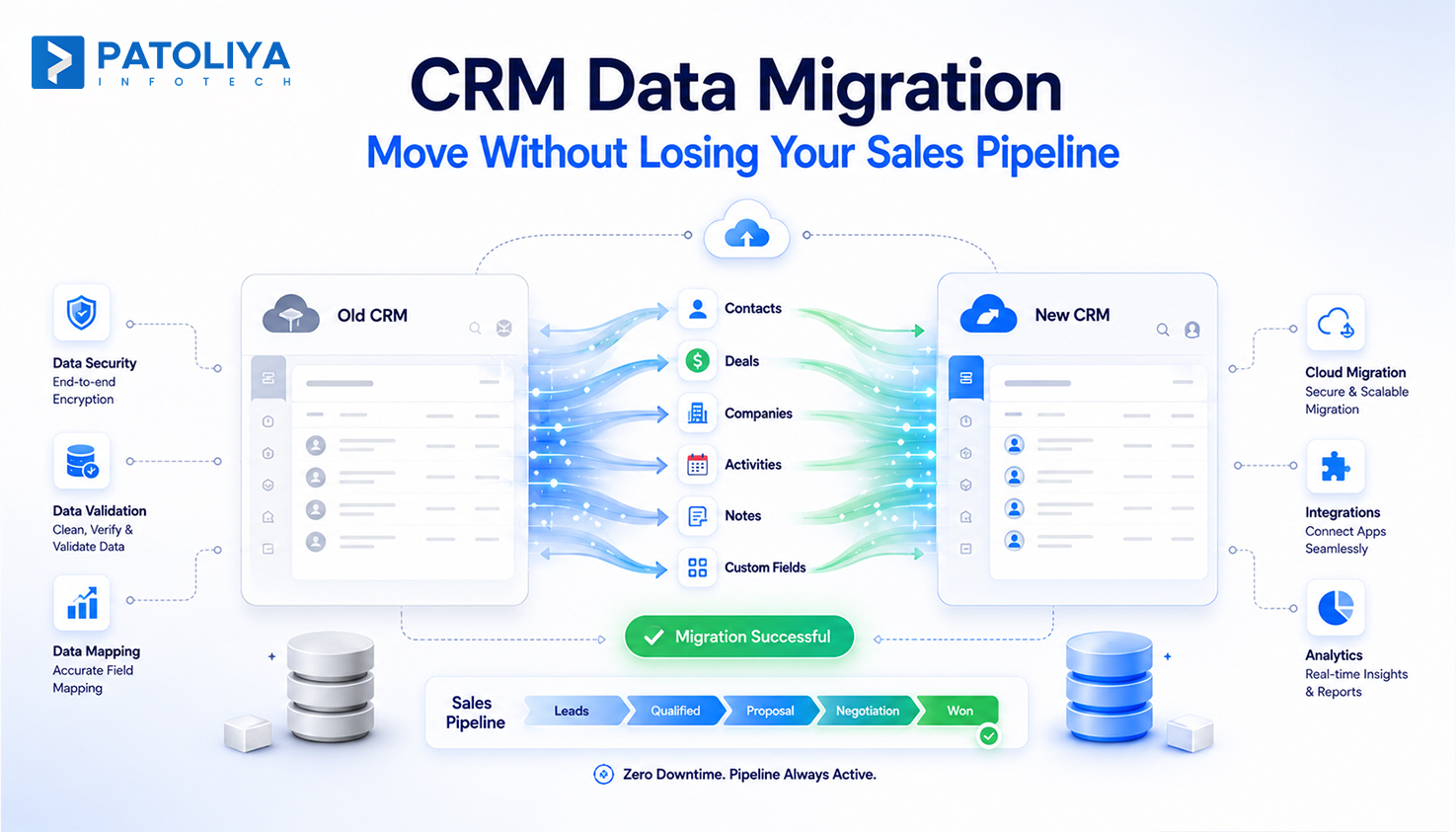
Every open deal, every logged call, every custom field your sales team built a habit around has to survive the jump to a new system. That part rarely makes it into a vendor's sales deck. CRM data migration is the process of moving contacts, deals, activity history, and configuration from one CRM to another without breaking the pipeline your revenue depends on.
Done well, the whole thing is invisible to your sales team. Done poorly, you find out three weeks later that half your deal history is orphaned and nobody can explain why. This guide covers the real process, honest cost ranges, the failure points most vendors leave out of their pitch, and a checklist for choosing the right migration partner, whether that means handling it in-house, using a self-service tool, or working with a team like Patoliya Infotech.
CRM data migration is the structured transfer of records, including contacts, companies, deals, notes, tickets, and custom objects, along with the relationships between them, from a source CRM into a target CRM without losing data integrity or business continuity along the way. It is not the same thing as exporting a CSV file and importing it somewhere else. A real crm data migration has to account for how two systems model data differently. A Deal in HubSpot is not structured the same way as an Opportunity in Salesforce, and a flat spreadsheet export does not preserve the relationship between a contact, the company it belongs to, and the open deals tied to both.
Migrations tend to get triggered for a handful of predictable reasons: outgrowing a legacy or spreadsheet-based system, consolidating CRMs after a merger, switching vendors over cost or missing features, or moving from an on-premise system to the cloud as part of a wider cloud transformation initiative. Whatever the trigger, the goal stays the same. The new system needs to be a complete, usable copy of the old one on day one, not a partial dataset your team has to reconstruct from memory.
This is also where CRM data migration gets confused with choosing a CRM type in the first place. crm data migration is a one-time, or phased, data transfer event. Picking the right CRM type is a separate decision made earlier, and it quietly determines how painful the eventual migration will be.
A complete migration touches more than contact names and email addresses.
Core records move first: contacts, companies or accounts, deals or opportunities, leads, and tickets, along with the relationships between them, such as which contact belongs to which company and which deals are tied to which account.
Activity history, calls, emails, meeting notes, and timeline events, is what sales reps rely on most day to day, and it is also the data most often lost in a rushed migration, because it lives in activity tables that rarely map cleanly between systems.
Custom fields and objects need direct attention too: The fields your team added over the years, like deal source, renewal date, or a custom lead score, almost never have a one-to-one match in the new CRM. They need explicit data mapping, not an automated guess.
Pipeline stages and deal history matter for forecasting: the current stage of every open deal, plus the stage history that feeds win-rate reporting, has to carry over intact.
Attachments and documents, proposals, contracts, files attached to records, are frequently the first thing skipped, simply because they are harder to script than a database field.
User permissions and ownership round it out: who owns which record, and what each role can see or edit in the new system.
What generally does not migrate on its own: automation logic such as workflows, sequences, and scoring rules; pipeline stage definitions, as opposed to the data sitting inside them; and third-party integrations. Those need to be rebuilt by hand against the new system's architecture, a detail most CRM data migration companies mention in the fine print rather than the pitch.
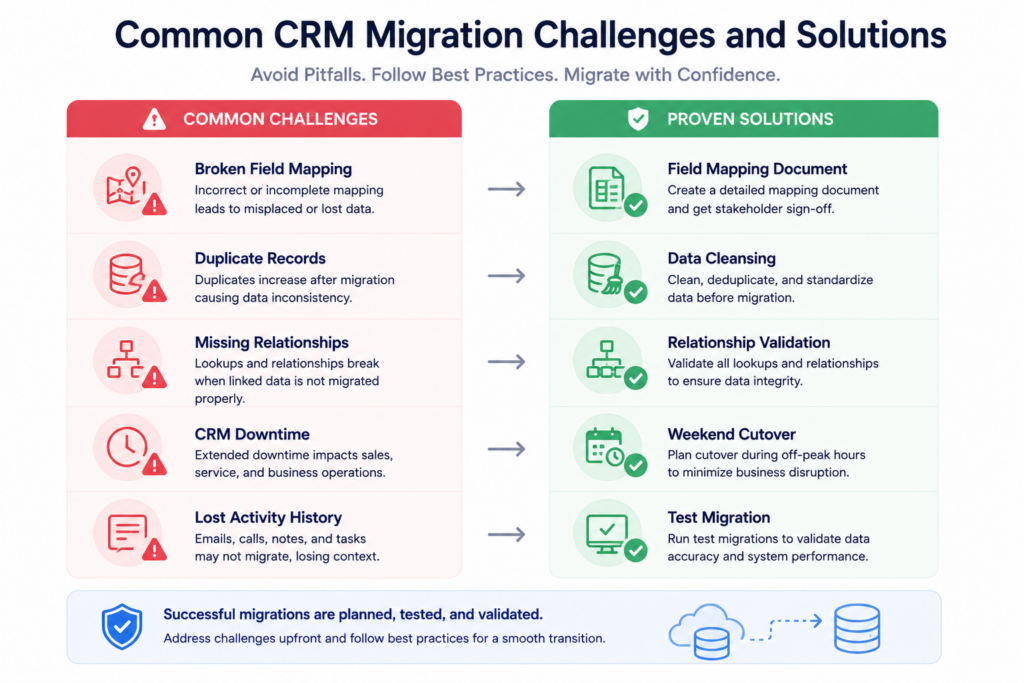
The most common failure is not a dramatic crash. It is silent. A custom field in the source system has no match in the target, the migration tool skips it or dumps it into a generic notes field, and nobody notices until a rep goes looking for a data point that used to be there. Build a full field-mapping document before a single record moves, and validate at the field level after each test batch, not just the record count.
Migrations rarely create duplicates on their own; they inherit them. If the source CRM has three versions of the same contact from years of manual entry, a straight lift-and-shift copies all three into the new system, now armed with fresh automation rules that will happily email all three of them. Run deduplication as a pre-migration cleansing step, matching on email, phone, or domain rather than exact name, which misses far more than it catches.
Parent-child relationships, such as a company and its contacts or a deal and its line items, have to migrate in the right order. Move contacts before the companies they belong to exist in the target system, and the result is orphaned records with no way back except a second pass. Sequence the migration by object hierarchy, parents first, children second, activities last, and validate relationship integrity, not only field values, at each step.
Every hour the CRM sits in read-only mode or offline during cutover is an hour reps cannot log activity or update a deal. For a team relying on pipeline continuity, that is a direct revenue risk, not just an inconvenience. Run a parallel period where both systems stay live and synced, cut over during the lowest-activity window, usually a weekend, and keep a tested rollback plan ready in case validation fails after go-live.
Not every migration calls for the same approach. The right one depends on data volume, how customized the current CRM is, and how much internal bandwidth is actually available, not just budget.
Most CRMs, Zoho, HubSpot, Salesforce, ship a native import wizard or CSV importer. These handle small, simple datasets with few custom fields and no complicated object relationships reasonably well. They are free or already bundled into the subscription, but they typically struggle with deduplication, custom object mapping, and activity history, and there is no rollback plan if something breaks mid-import.
Dedicated migration tools such as Import2, Trujay (SyncMatters), and Data2CRM sit between DIY and fully managed. They come with pre-built connectors for common CRM pairs, automated mapping suggestions, and duplicate detection. That makes them a reasonable middle ground for mid-complexity migrations, though custom objects and non-standard pipelines usually still need manual configuration layered on top.
For anything beyond a simple two-system swap, multiple data sources, custom objects, compliance requirements, or a hard deadline with no room for downtime, a CRM implementation partner runs discovery, cleansing, mapping, testing, and cutover as one accountable project. This is also where migration work tends to overlap with broader staff augmentation needs, since the same specialists can stay on to support the CRM after launch.
| Approach | Best Fit | Team Required | Typical Timeline | Pricing Range | Data Complexity Ceiling |
| DIY Native Import Tools | Under 2,000 records, single CRM pair, minimal custom fields | Internal, part-time | Hours to a few days | Free to $500 | Low |
| Self-Service Migration Platforms | 2,000 to 20,000 records, standard objects, moderate customization | Internal admin plus vendor support | Days to 2 weeks | $500 to $5,000 | Medium |
| Managed / Outsourced Migration Partner | Multi-source, custom objects, compliance needs, zero-downtime requirement | Dedicated migration team | 2 to 16 weeks | $3,000 to $150,000+ | High |
Not sure which lane fits your data? Book a scoped estimate with Patoliya Infotech and get a field-mapped migration plan before committing to a platform.
Cost tracks complexity more than record count. A 3,000-record dataset with a dozen custom objects can cost more to migrate than a clean 50,000-record dataset with none.
Typically $500 to $3,000. Standard objects, minimal custom fields, one source and one target system, with a native or self-service tool doing most of the work.
Typically $3,000 to $25,000. This tier involves custom object mapping, several sales pipelines, deduplication, activity history migration, and usually some workflow rebuilding once records land in the new system.
Typically $25,000 to $150,000 or more. Multiple source systems, a CRM plus an ERP or marketing platform, regulatory requirements such as HIPAA or GDPR, custom integration rebuilds, and a phased cutover to avoid downtime across a large sales org. AZ Big Media's 2026 breakdown of data migration costs notes that at this tier, cost is driven less by raw data volume than by the depth of the pre-migration assessment and the discipline applied to scope.
Hidden costs most quotes miss
Migration partners typically price by fixed bid for a clearly scoped project, time and materials for undefined scope, or a hybrid: fixed bid for the migration itself with time and materials for hypercare and integration rework.
A clean migration means reps can search, filter, and report on day one instead of relearning where their data went. A messy one, with missing fields, broken relationships, and duplicate records, costs weeks of reduced productivity while reps manually cross-reference the old system to fill the gaps. That is the opposite of what a good CRM onboarding process is supposed to deliver.
Building in-house migration expertise for what is usually a one-time project rarely pays off. The specialist skill set, data mapping, dedup logic, object sequencing, has no ongoing use once the migration wraps up. Outsourcing to a partner who already owns that process is typically cheaper than the fully loaded cost of hiring, training, and later reassigning an internal specialist, a change management cost that is easy to underweight when comparing quotes.
A migration built on documented field mappings and a repeatable process scales cleanly if the business adds a second unit, acquires a company, or has to migrate again in three years. An ad hoc migration with no documentation means starting over from zero next time.
Worth repeating as its own risk category: this is the single most common reason a migration gets rated a failure by the business, even when the record count technically matches.
Migration involves constant back and forth on edge cases, like what should happen to deals with no assigned owner, and a partner in a distant time zone with no overlapping hours turns each of those questions into a day-long delay. This is a known trade-off between onshore and offshore delivery models, and it is worth asking about directly during vendor selection.
Compliance risk carries forward from the source system. If the old CRM had unvetted GDPR consent records or unencrypted personal data, that risk does not disappear on migration, it just moves house. This needs to be part of the pre-migration audit, not a discovery made after go-live, and it is a core part of managing risk in any IT project.
Some migration tools and partners keep proprietary control over the mapping logic or export format, which makes a future migration away from that vendor harder than it should be. Ask upfront who owns the mapping documentation once the project closes.
Before signing with any CRM implementation partner, confirm the following:
The vendor landscape splits into four practical categories.
Native platform tools include Salesforce Data Loader and HubSpot's built-in import and Data Sync tools, plus Zoho's Migration Wizard. These are free or included with a subscription, and work best for simple, same-vendor-family migrations.
Self-service migration platforms, including Import2, Trujay (SyncMatters), and Data2CRM, specialize in pre-built connectors between common CRM pairs, layering automated mapping suggestions and duplicate detection on top of a self-serve interface.
Enterprise iPaaS and data tooling, such as Talend, Informatica, and Workato, tend to get used on enterprise migrations that also need ongoing API integration between the CRM and other systems like an ERP or marketing platform after go-live, not just a one-time transfer.
Managed migration partners are full-service custom software development and IT partners who run discovery, cleansing, mapping, testing, and cutover as a single accountable project. This is the right lane once a migration involves custom objects, multiple sources, or a hard uptime requirement, and it is where Patoliya Infotech operates, alongside broader database and cloud transformation work.
Comparing vendors against your own data volume and CRM pair? Schedule a technical scoping call with Patoliya Infotech to benchmark a real quote.
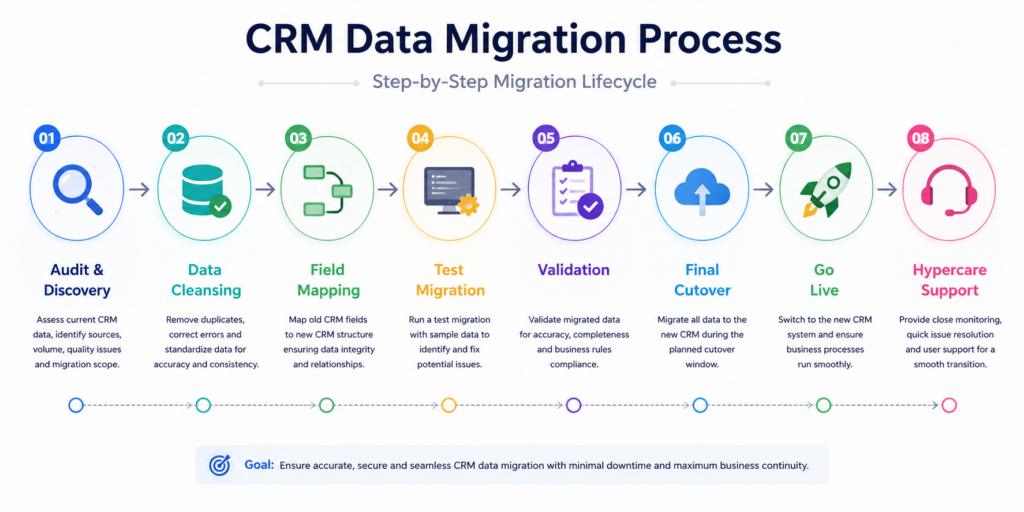
Patoliya Infotech treats CRM data migration as a structured, accountable engagement rather than a one-off script run. Every project starts with a full pre-migration audit and field-mapping document. Deduplication is a defined phase, not an afterthought. A test migration runs on a data sample before the full cutover, and a rollback plan is documented, not just promised.
Our teams have handled CRM data across the industries we build for daily, including fintech, real estate, e-commerce, and iGaming, each with its own compliance and object-complexity profile. You keep ownership of the mapping documentation once the project closes, and post-go-live hypercare is scoped in from day one instead of showing up as a surprise line item. You can see how this plays out on real projects in our case studies.
Ready to move your CRM data without the guesswork? Get a scoped estimate from Patoliya Infotech's migration team.
CRM data migration is a business continuity project wearing a technical costume. The systems and connectors matter, but the outcome that actually gets judged is whether the sales team can open the new CRM on Monday morning and find every deal exactly where they left it. Audit before you map, map before you move, test before you cut over, and pick a partner, DIY, self-service, or managed, that matches the complexity of what you are actually carrying, not just the size of your budget.